效果图
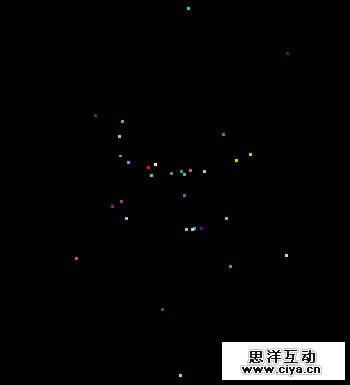
- $(function(){
- $(document).click(function(event){
- /*1.创建DIV并插入到body当中
- *2.设置其初始位置:TOP为屏幕的高度,left为鼠标点击时,鼠标的pageX值;
- */
- //创建DIV
- var $div = $("<div/>");
- var eLeft = event.pageX;
- var etop = event.pageY;
- var cHeight = document.documentElement.clientHeight;
- //设定颜色、大小,和其初始化的位置
- $div.css({"width":4,"height":15,"background-color":"red","top":cHeight,"left":eLeft});
- //插入到页面的body当中去;
- $("body").append($div);
- //不要出现滚动条
- $("body").css("overflow","hidden");
- //让DIV向上移动,并且移动到鼠标位置后,删除这个DIV元素,之后执行烟花效果;
- $div.animate({"top":etop},700,function(){
- //移除DIV
- $(this).remove();
- /*烟花效果
- *1.烟花是很多个DIV构成
- *2.每个烟花的颜色不一样
- *3.烟花的位置也不一样
- *4.烟花散开方向不一样
- *5.烟花有下坠感觉
- */
- //用循环造建很多个DIV,来表示烟花
- for(i=0;i<20;i++){
- $("body").append($("<div class='yh'></div>"));
- }
- /*烟花的颜色是随机的,而且是用16进制表示色值,所以用随机数结合16进制;
- *16进制的最大值ffffff,转换成十进制16777215;
- *Math.random()*16777215公式可以得到0-16777215之间的数,因为是小数,所以要用到取整;
- *Math.ceil(Math.random()*16777215)生成一个在颜色值范围内的,随机的十进制值;
- *Math.random()*9+1公式可以得到1-10之间的数,以此类推
- *.toString(16)方法,是把得到的十进制,转换成16进制,也就是随机的颜色值了;
- */
- var sjColor = ""
- function changColor(){
- sjColor = Math.ceil(Math.random()*16777215).toString(16)//;
- //当这个产生的随机的颜色值,不足6位数的进候,需要补齐,又不改变其值,所以要在这个数的前面加零;
- while(sjColor.length<6){
- sjColor = "0"+sjColor;
- }
- }
- //设置烟花DIV的颜色和位置、散开,坠落
- $(".yh").css({"width":3,"height":3,"top":etop,"left":eLeft});
- /*烟花散开要设左和上
- *Math.random()*20-20这里要减20,是因为烟花是从中心点的左右散开的,
- *最小随机数时0-10 = -10,最大随机数时20-10=10;所以就是正负10之间
- */
- $(".yh").each(function(index, element) {
- var $this = $(this);
- changColor()
- var yhX = Math.random()*400-200;
- var yhY = Math.random()*600-300;
- $this.
- css({"background-color":"#"+sjColor,"width":3,"height":3}).
- animate({"top":etop-yhY,"left":eLeft-yhX},500);//散开
- for(i=0;i<30;i++){
- //判断鼠标点击时的右边烟花还是左边烟花
- if(yhX<0){
- downPw($this,"+");//右下坠
- }else{
- downPw($this,"-");//左下坠
- }
- }
- //下坠效果,即同时改变烟花元素的X和Y,会有抛物线感觉,然后完成动画后,删除这个烟花元素
- function downPw(odiv,f){
- odiv.animate({"top":"+=30","left":f+"=4"},50,function(){
- setTimeout(function(){odiv.remove()},2000);
- })
- }
- });
- });
- })
- })